Two ways to keep progress
An in-game save comes from the game’s own save system. A save state captures the emulator at a particular moment. SkyEmu provides four persistent state slots with screenshot previews.
Use normal game saves for everyday progress and states as extra checkpoints. Keep separate backups of important saves. Do not assume a state will work across different emulators or every version of the same emulator.
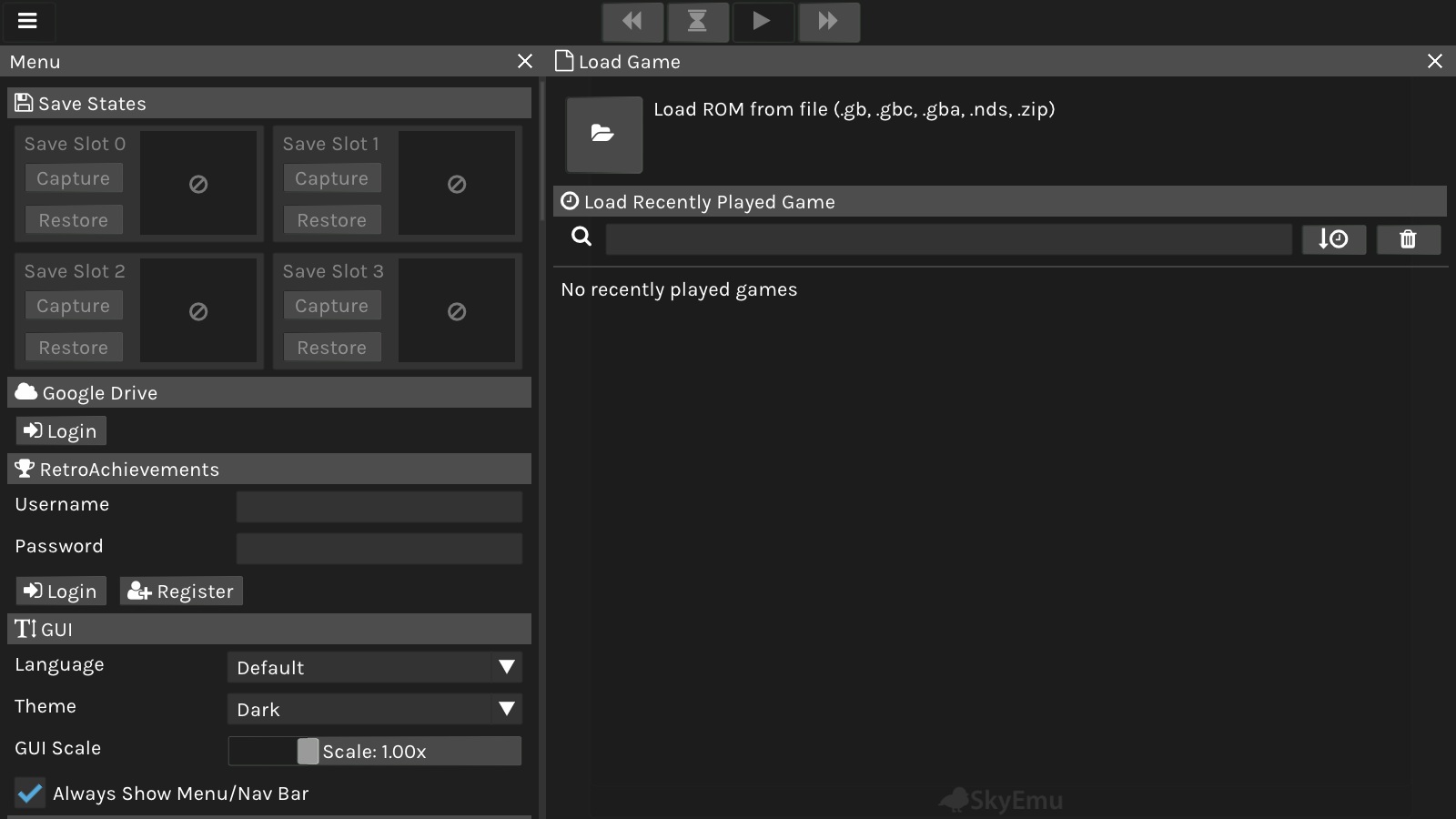
To make a checkpoint, select a state slot and choose Capture. Restore returns to the captured moment, so check the slot preview before restoring.
Match the save to the ROM
The documented convention uses the ROM’s filename with the extension changed to .sav:
- Game:
MyGame.gba - Matching save:
MyGame.sav
Preserve the matching base name when moving or renaming files. A different name can prevent the emulator from finding the expected save.
The project describes placing save and BIOS files beside the ROM on native builds. In the web edition, files can be selected through the picker or dragged onto the page. Android file access depends on the build and device; back up the original before trying an import.
BIOS files are optional
SkyEmu supplies open source replacement BIOS and firmware stubs, so you can begin without original files. The project recommends your own original dumps for more faithful behavior, including startup behavior and some Game Boy colorization features.
The documented GBA BIOS filename is gba_bios.bin. Use an appropriate file you supply and follow the location convention for your build. Changing an unrelated file’s name does not make it a BIOS. This website does not distribute original BIOS or firmware files.
Move your library safely
- Save from inside the game.
- Back up the game file and its matching save, keeping their names together.
- Copy the files to the new device or version while retaining the backup.
- Open the game and confirm the expected progress is available.
- Keep the backup until you are confident everything works.
If progress is missing, check the filename and file location first. Avoid overwriting an existing save while investigating.